F75 Studio
Custom firmware and a desktop editor for my AULA F75 Max: a tiny animated companion, useful controls, and a keyboard that behaves the way I want.
- Client: Personal
- Role: Embedded Firmware, Interaction Design, Desktop Software
- Recognition: Open-source personal project
- Year: 2026
A keyboard that feels like mine
The AULA F75 Max has a small color screen and a rotary wheel. I wanted to do more with both: make the screen useful at a glance, give it some personality, and configure the keyboard from my Mac. That became F75 Studio, a custom firmware and editor project for the keyboard on my desk.
The work crosses a few boundaries I enjoy: reverse engineering, embedded C, interface design, desktop software, and testing something that can stop accepting input if I get it wrong.
Browse the source on GitHub · Controls and recovery
Designing for 128 × 128 pixels
The screen has to earn its space. The header shows the selected connection, its state, the host OS, and the battery estimate. Below it, an animated desk companion shares the space with a small clock and typing activity. A temporary computer message can appear at the bottom without taking over the whole display.
The wheel opens and navigates the on-device menus. Menus keep a full-screen header, show the current selection and position, and let the keyboard remain useful without opening the desktop app. There is also a focus timer, a choice of clock faces, light and dark appearances, and reduced motion.
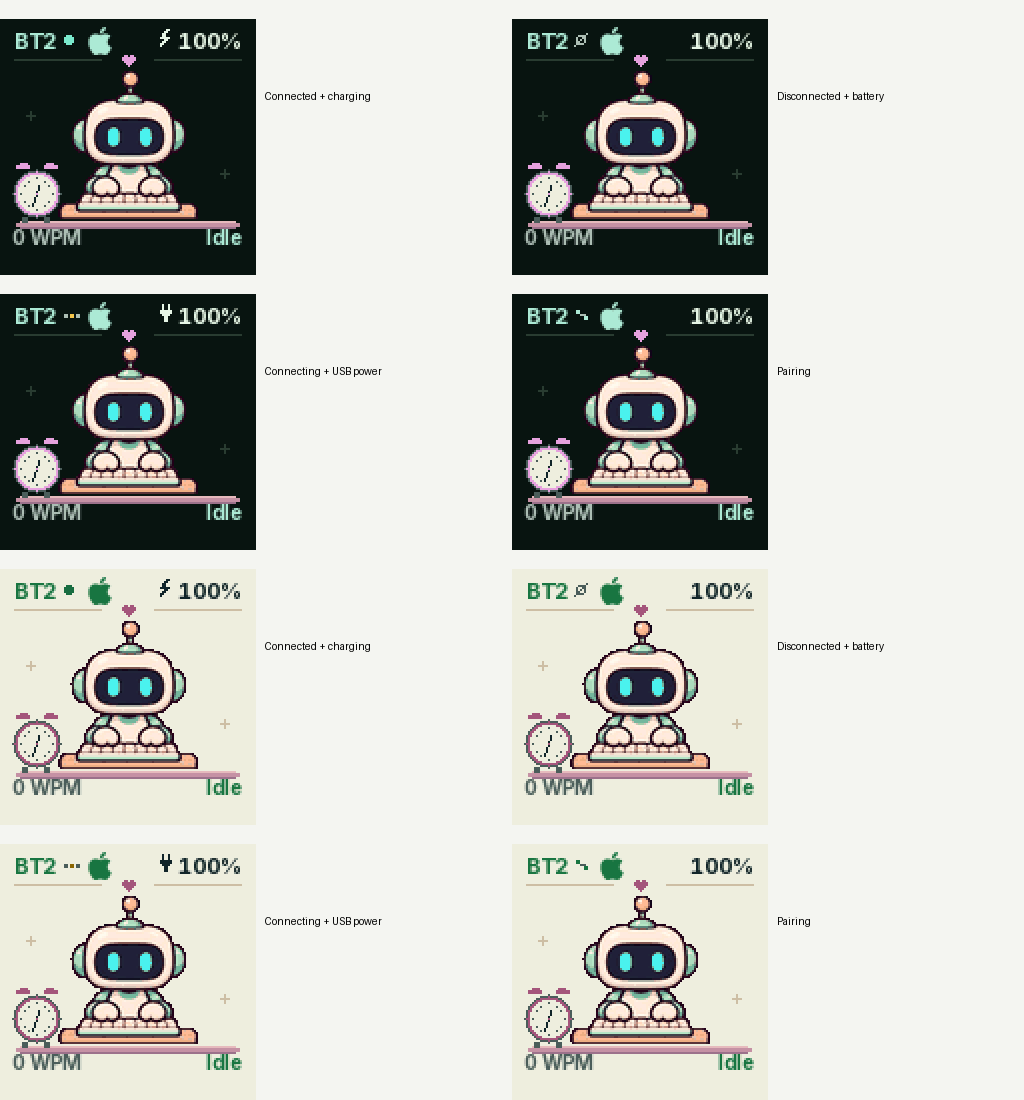
Design samples rendered by the firmware’s shared C renderer, enlarged for inspection. The connection and battery values in these samples are illustrative, not live measurements or photographs of the keyboard.
The details matter at this scale. Text uses native-grid Inter glyphs, the OS icon gets its own small silhouette, and character art is prepared for the actual RGB565 display. Rendering happens in 2 KB tiles rather than a full-screen framebuffer. The same drawing code runs in the native preview, which makes it possible to inspect a design before installing it on the keyboard.
An editor for the whole keyboard
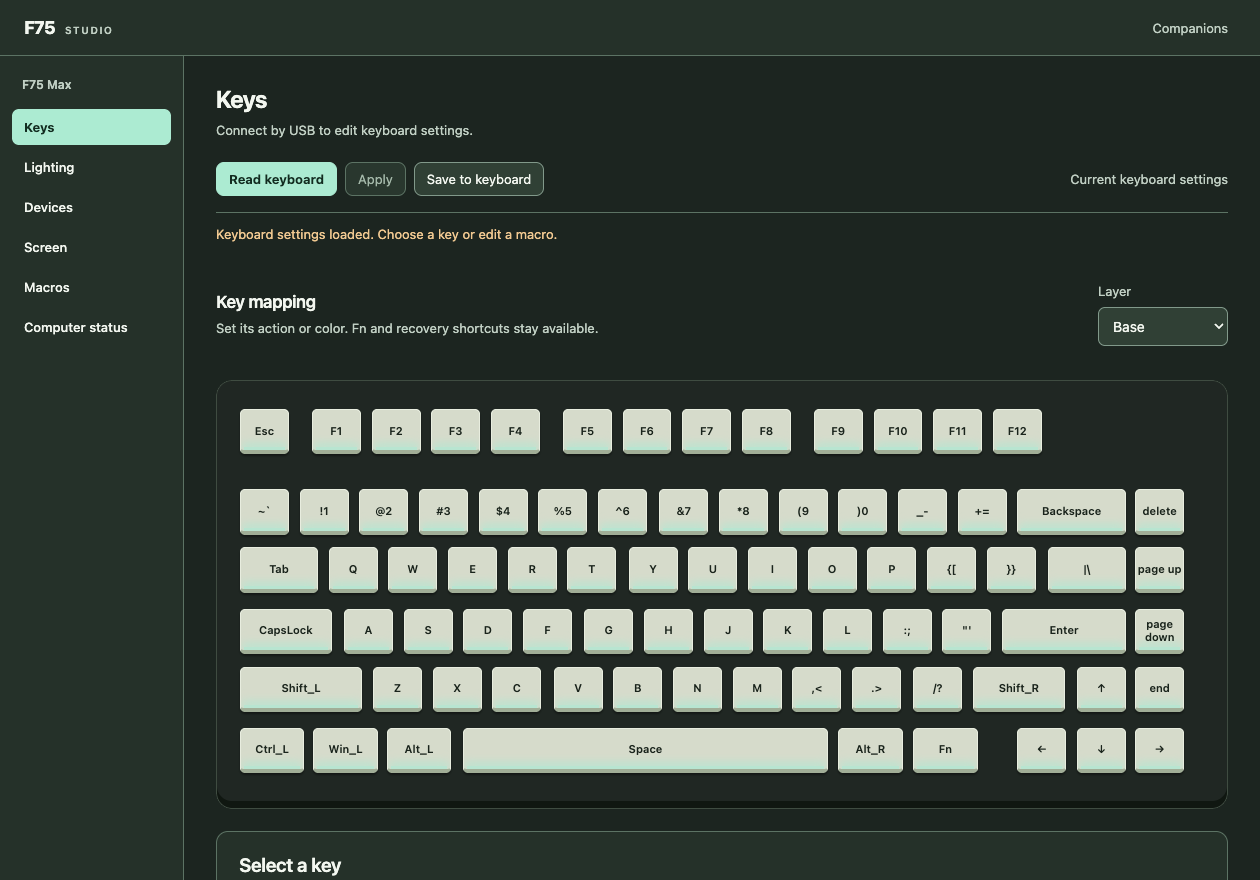
F75 Studio brings the settings together: key mappings, layers, macros, per-key colors, lighting effects, device names and layouts, and the screen’s appearance. The desktop interface has light and dark themes of its own; the keyboard’s theme is a separate choice.
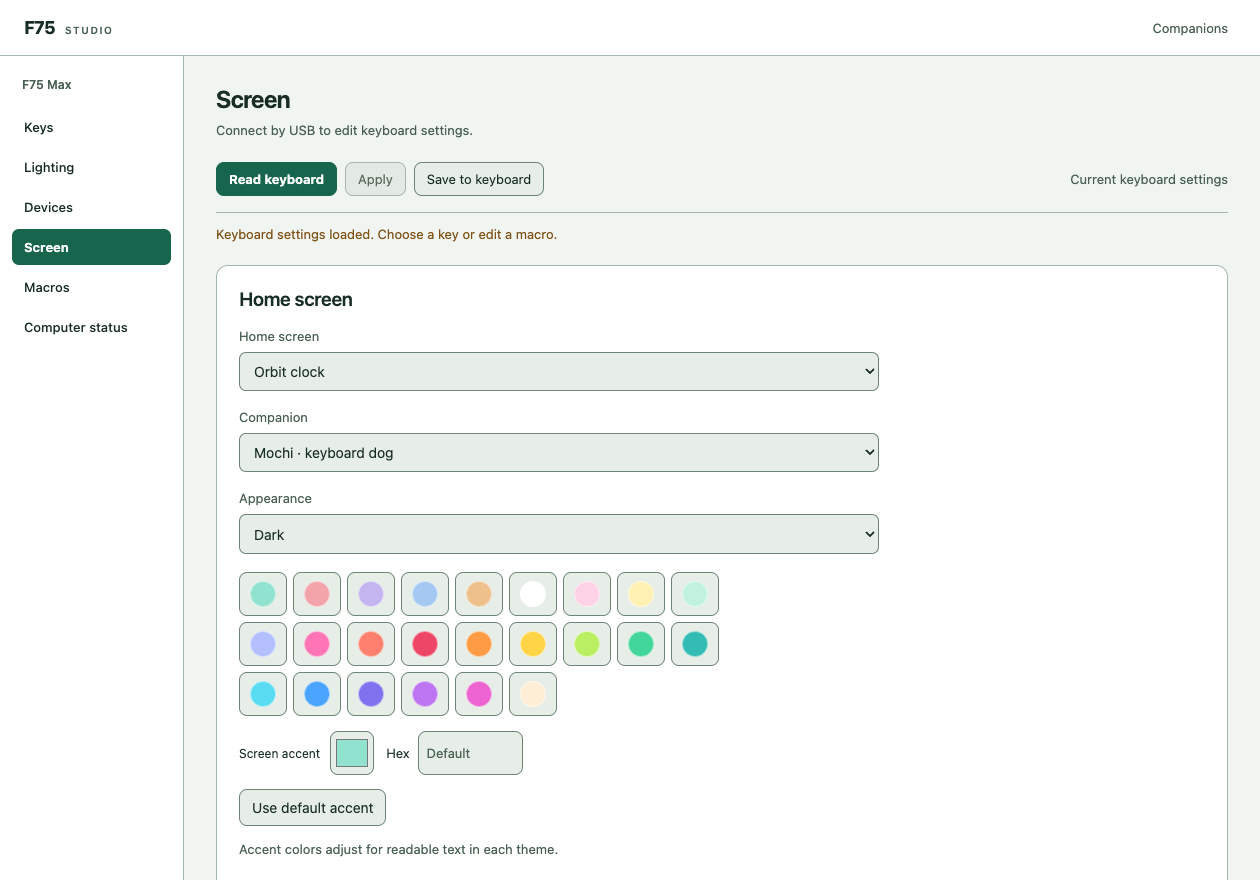
Desktop editor design sample. The app appearance and the keyboard screen appearance can be chosen independently.
The connection path matters as much as the controls. USB is the direct settings route, while the Mac app also supports the project’s qualified Bluetooth settings channel. Settings are read back and validated, and the protocol distinguishes applying a configuration in RAM from saving it to the keyboard. The editor never needs to replace the supplier radio firmware or its existing bonds.
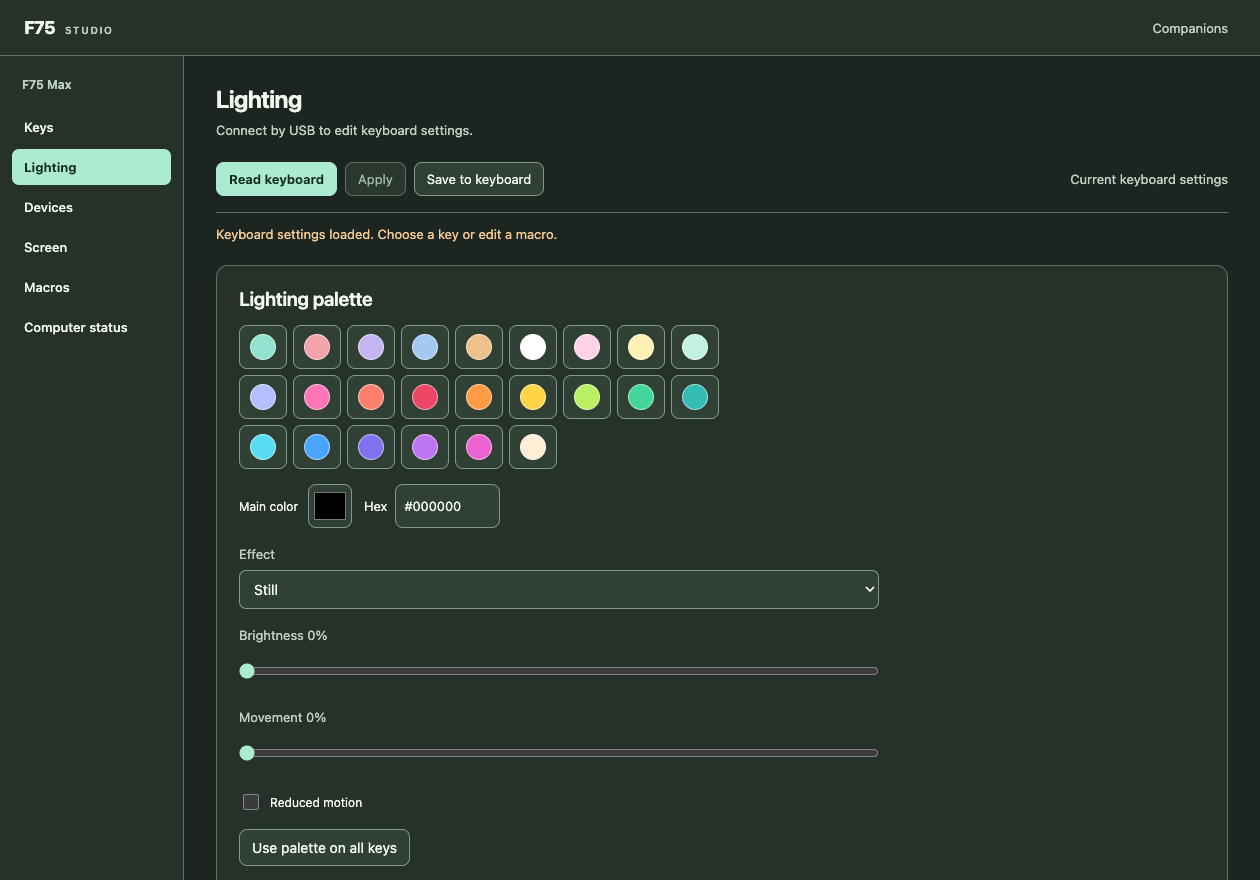
Lighting design sample: presets for a quick choice, an exact color when needed, and separate brightness and movement controls.
Working backward from real hardware
The board uses a Sonix ARM microcontroller. The firmware is built on pinned SonixQMK and ChibiOS sources, with a custom board port for the matrix, display, RGB scanning, radio transport, gauge, settings storage, and recovery path.
Reverse engineering gives me a starting point, not permission to assume every signal is understood. The wheel switch, for example, had to be established from actual matrix measurements. Display and RGB work exposed shared timing constraints: a change that looks fine in a renderer can still corrupt a physical screen or make the lights flicker.
That is why the project includes a board model that executes the linked ARM image. It exercises reset and recovery, USB enumeration, key scanning, display transfers, and radio-protocol handling. Focused tests cover things such as modifier release order, switching devices without replacing bonds, and waking on the first input. These checks catch software regressions; they do not substitute for testing the panel, radio link, or electrical inputs on the board.
Less work while idle
The power work starts by avoiding unnecessary activity. Idle modes turn off the display and RGB output, slow the shared scanning clock, skip unchanged dark frames, and let the processor wait for interrupts. Key activity restores the active budget, and the display wakes only after a fresh frame is ready.
Those are implemented behaviors, not a battery-life benchmark. A percentage reported by the gauge is an estimate. Comparing runtime with the supplier firmware needs timed discharge tests under the same lighting, display, connection, and sleep conditions. I have not established an efficiency multiplier or a measured full-charge runtime, and the firmware does not yet implement deep MCU or radio sleep.
Where it stands
This is an experimental project built and used on my own F75 Max. Typing, the display, lighting, Mac modifier behavior, and Bluetooth workflows have been exercised on that board. Individual changes still get their own checks, and receiver operation, other PCB variants, cold recovery cases, and battery endurance remain separate qualification work.
The public repository contains the source, pinned build instructions, renderer assets, tests, and hardware-status notes. It is a community project, not an official AULA release. The firmware source is GPL-licensed; the repository includes the relevant third-party licenses and notices.
Source and build instructions · Current hardware qualification · Third-party notices
The matching modular wrist rest is a different part of the same desk project: parametric CAD and printed hardware.
Got a hard problem?
I'd like to hear about it.

Let's talk
If you're wrestling with product strategy, platform architecture, engineering leadership, or making AI actually useful, drop me a line. Worst case, we have a good conversation.