AI Enablement
Practical AI adoption across planning, review, task systems, support context, release summaries, and engineering workflows.
- Client: Unraid
- Role: AI Workflows, Developer Tools, Management Systems
- Recognition: Asana Agent Skill
- Year: 2026
Practical AI adoption
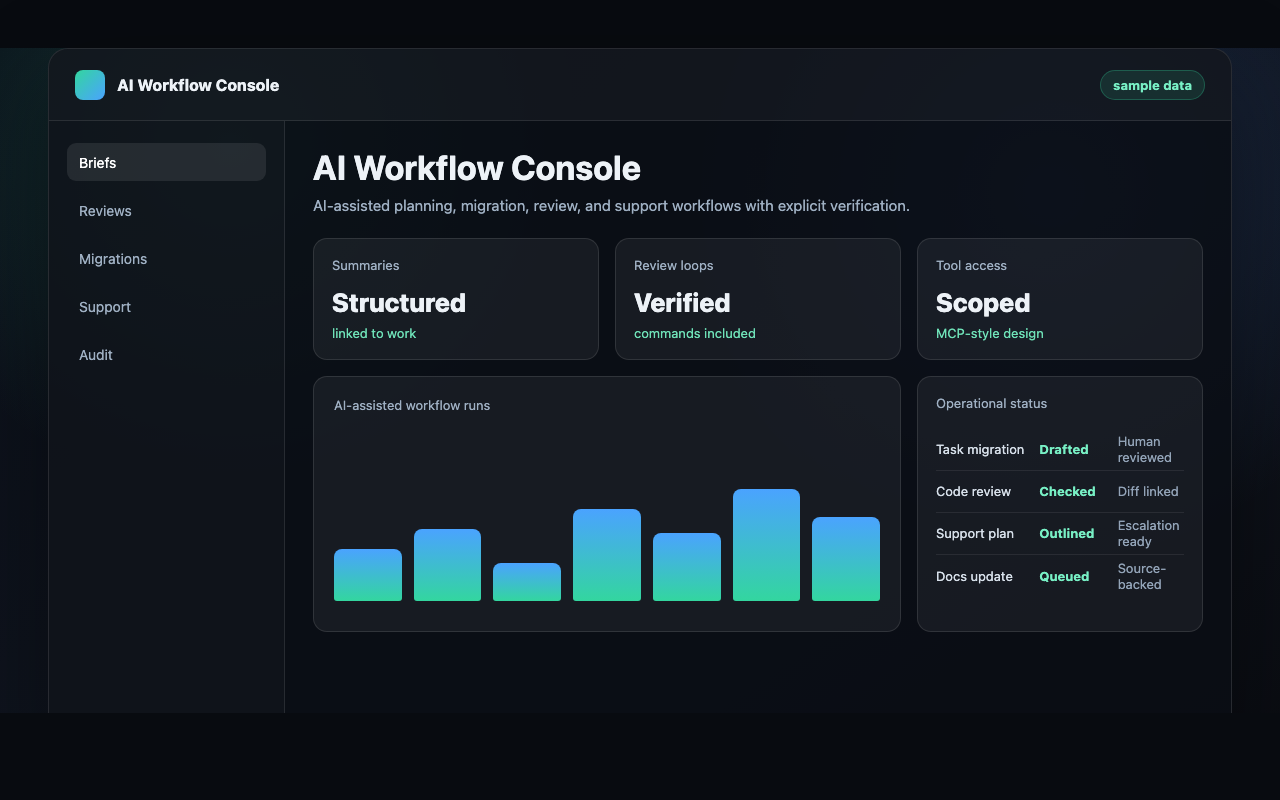
My AI work at Unraid is not about putting a chat window beside every job. The useful version is narrower: commands with clear inputs, source context the model can cite, reviewable output, and verification steps someone can point at later. That shape has driven almost every AI bet I have placed in the last year.
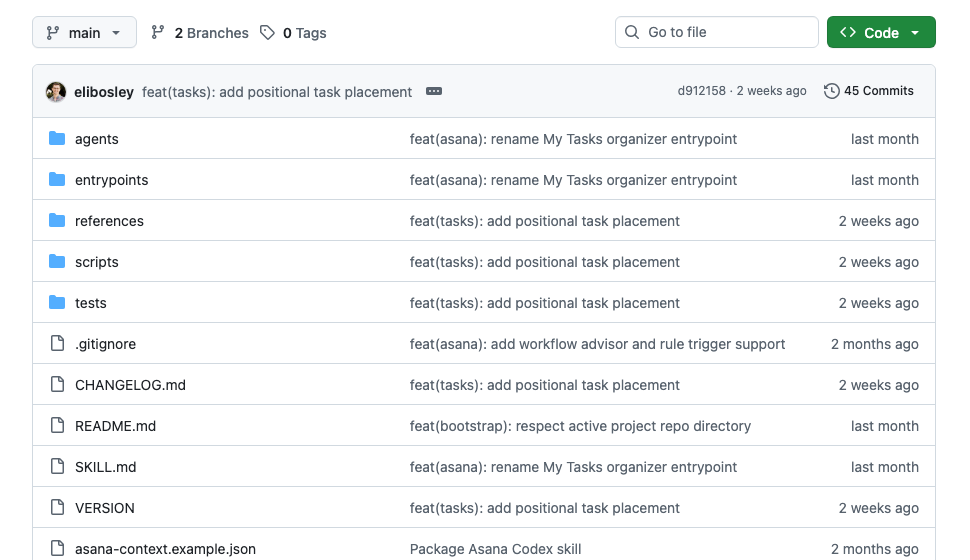
The clearest public example is my Asana Agent Skill, a Python CLI and reusable workflow library that lets coding agents work with Asana through small, explicit commands. I wrote it because I wanted AI tooling I could trust: local execution, clear inputs, generated reference material, and repeatable workflow specs instead of a model improvising against a web UI.
What the skill actually does
The skill exposes a tight set of commands instead of a vague “do Asana things” interface. The commands I use most:
task-bundlepulls a task with its fields, comments, attachments, subtasks, and project workflow context. The agent gets the full picture before it does anything.project-assigned-tasksandproject-assigned-working-settake the work assigned to one person on one project (subtask and parent-section context included) and turn it into an implementation-ready pull list.daily-briefingis an AI-gated morning command center over My Tasks.inbox-cleanupis the AI-gated organizer for that same surface. It files tasks into the right sections instead of just listing them.friday-follow-up-summaryis a weekly scan over tasks owned by other people that I am still on the hook for. I stop dropping follow-up threads.weekly-manager-summaryproduces a manager-facing rollup.close-out-sectionsretires stale sections so they stop rotting in place.
The skill supports rich-text Asana comments with an explicit AI disclaimer format. If a model writes to a real system, it should leave evidence and make the human review boundary obvious.
Why this shape
Product and engineering teams rarely lose time because they needed one more paragraph. They lose time because context is scattered across tasks, repos, threads, support tickets, release notes, and half-finished decisions in someone’s head. The same project might have requirements in one place, implementation details in another, review comments in a third, and support implications nowhere written down.
AI gets valuable when it compresses that context into something a human can verify and act on. It gets dangerous when it invents certainty, hides sources, or makes changes without a clear boundary. The Asana skill, and the rest of the internal stack around it, are built to do the first and refuse the second.
Where this shows up internally
- AI-drafted monthly engineering reports. I use AI to compress PR activity, release notes, support themes, and task history into a draft leadership read. I prune and review the result by hand. The report is structured around what changed for the product, support, and risk profile, not a list of everyone’s keystrokes.
- Planning-system migrations. When software execution moves between planning tools, AI helps preserve task detail, comments, and decision context instead of flattening live work into bare titles. Humans still own the cutover plan and the final shape of the workflow.
- API gap surfacing. Running real agent workflows against Asana exposed concrete API gaps. I wrote up the wrapper limitation, the underlying REST behavior, and the tool-shape request rather than papering over it.
- Notification worker and AI routing. I built the Cloudflare Worker that turns operational events into action: it drives Linear, Asana, FeatureOS, and Discord from GitHub and release signals — AI-drafted developer handoffs, automatic QA transitions, generated release notes published to docs, and CVE/FeatureOS triage with AI analysis — all behind explicit auth and review boundaries.
- Security signal automation. I wrote a release-diff tool that syncs CVE/NVD data into Linear and our FeatureOS security publishing flow, so vulnerability triage starts from structured facts instead of someone’s browser tabs.
- Documentation as part of the engineering loop. The pattern I am pushing: developer ships a feature, records or demos it, a tool drafts a guide with screenshots and an AI summary, and QA and docs digest that into release documentation. AI as release knowledge capture, not just code generation.
- Engineering check-ins and team learning. Building and breaking agents is now part of how the team grows, including offsite sessions specifically about agent workflows.
The notification worker: release ops with a human decision at the end
One of the larger pieces of this work is a Cloudflare Worker that sits between the tools where engineering actually happens — GitHub, Linear, Asana, FeatureOS, Discord — and turns raw events into work that’s ready for a human decision.
The flow that shows the shape best is the developer handoff → QA verification loop:
- An engineer finishes work and an event fires (a PR merges, an issue moves state).
- The worker generates an AI-drafted handoff: what changed, why, which systems are involved, and what QA should actually verify. The draft is served as a signed, single-purpose form link — not a bot with standing write access. The link is scoped to one issue, expires, and can’t be replayed elsewhere.
- A human — the developer or QA — reviews the pre-filled form, corrects anything the model got wrong, and submits. Only then does anything write back to Linear.
- When QA verifies, the worker auto-transitions the issue and the context travels with it: the handoff notes become the verification checklist.
The same worker runs the rest of the release-ops loop: release-notes generation published straight into our docs, CVE/NVD triage (via a companion release-diff tool) that syncs vulnerability data into Linear and our FeatureOS security publishing flow with AI analysis attached, and Discord notifications so the team hears about state changes without watching five dashboards.
The design rule underneath all of it: AI drafts, humans commit. Every automated write is either behind a signed form a person submits, or a mechanical state transition triggered by a human action. The model doesn’t get vague authority over the system of record — it gets a job, a template, and a reviewer.
AI analysis loops over real boards
The AI integrations I’ve gotten the most out of are not chat windows. They are analysis loops attached to the places where work already happens. The Asana skill pulls a task bundle with comments, attachments, section context, custom fields, tags, and board position, then turns that into a daily briefing, project working set, cleanup plan, or follow-up summary.
I use board-level analysis to flag operational risk: stale tasks, unassigned work, missing due dates, overloaded sections, custom-field coverage gaps, overdue items. The output is never an automatic decision. It is a reviewable recommendation. Which rules might help. Which tasks need clarification. Which sections have become dumping grounds. Which work needs a human owner.
The pattern transfers. GitHub analysis can summarize PR risk, missing tests, review threads, and release readiness. Community Apps analysis can inspect repository metadata, feed publication safety, validation failures, and moderation handoffs. Support analysis can take messy issue history and produce an escalation brief with the known facts, the likely product area, and the next verification steps. The common thread: source-linked analysis with a clear next action.
How I keep it bounded
The core rule is that AI should make the next human decision easier. It should not spawn a second shadow process that someone has to audit from scratch. So outputs have to be structured, traceable, and concrete. A useful AI-drafted task summary says what changed, why it matters, what is still unclear, which files or systems are involved, and how the next person verifies the claim.
For engineering work, that means AI is a collaborator inside the dev loop, not a replacement for it. Plans still have to survive implementation. Code still needs tests or some equivalent verification path. Product tradeoffs still need an owner. Support guidance still needs to match what users will actually see.
The integration model is intentionally narrow. Tools expose specific operations: read a project board, fetch a task bundle, generate a briefing snapshot, prepare a cleanup plan, or draft an Asana comment with an AI disclaimer. The model stays close to the workflow and never gets vague authority over the system of record.
Outcome
The result is a working AI pattern for a small but messy product org. AI cuts dropped context, speeds up routine synthesis, makes review cycles explicit, and turns planning notes into implementation-ready work. It pays off most between product, engineering, support, and operations, because that is where context usually thins out.
The AI workflows I’ve found most useful are not the dramatic ones. They are the ones where a teammate gets the state of a project faster, catches a risk earlier, writes a cleaner support handoff, or reviews a change with more confidence. Fewer vague updates. Fewer missing details. Faster verification. More time on the decisions that still take judgment.
Got a hard problem?
I'd like to hear about it.

Let's talk
If you're wrestling with product strategy, platform architecture, engineering leadership, or making AI actually useful, drop me a line. Worst case, we have a good conversation.